
All-in-one Any Video/Audio/3D Converter and Video Editor
 1
1
1
1

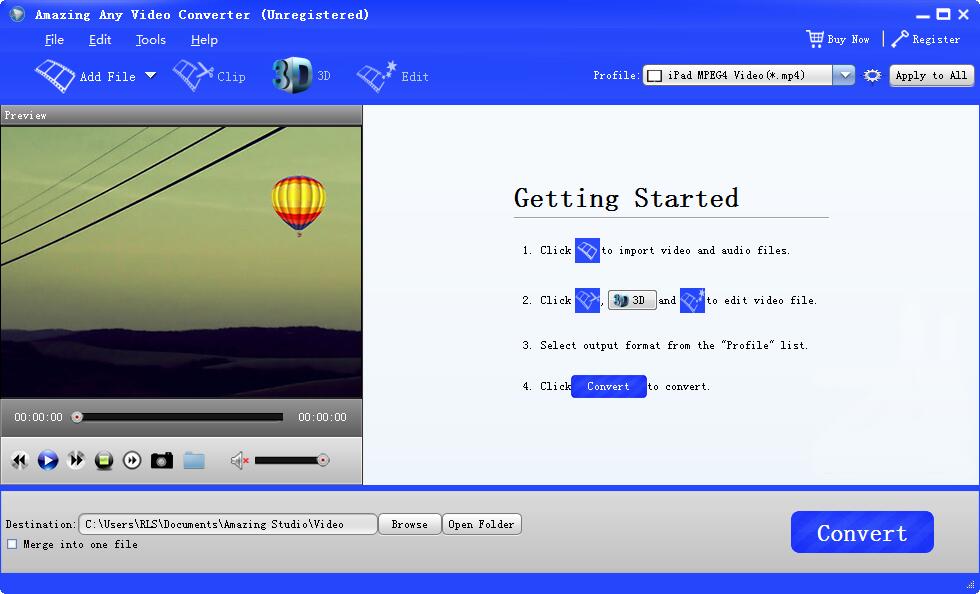
Amazing Any Video Converter is an all‑in‑one video conversion toolkit. It aims to stand out by combining download, conversion, basic editing and device‑ready presets in a single package. This review examines functionality, performance, usability and value so you can decide whether it's the right tool for your needs.
Broad format support: The software reads and writes the usual suspects — MP4, AVI, MKV, MOV, WMV, FLAC, MP3 and many device‑specific codecs — so you can convert footage for phones, tablets, gaming consoles and simple archival needs.
Built‑in online downloader: It can fetch videos from common streaming platforms (where permitted) and convert them directly to your chosen format. This integrated workflow is useful when you need a quick local copy to edit or play offline.
Quick presets for devices: The program offers ready‑made profiles for iPhone, iPad, Android phones, PS4/PS5, Xbox and more — convenient for users who just want an "export for device" button.
Basic editing features: Trim, crop, merge clips, apply text/image watermarks and simple effects before conversion. These tools cover many everyday pre‑export tasks without a full NLE.
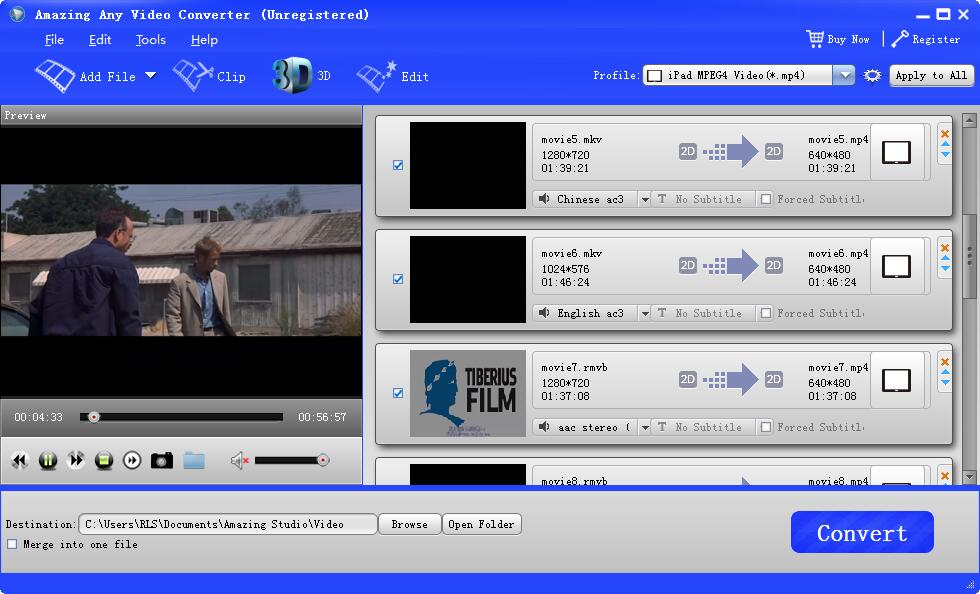
Batch conversion: You can queue multiple files and run conversions overnight, with reasonable throughput on multi‑core systems.
Its plug-in Any Video to 2D/3D Converter not only allows you to convert different videos to general video formats like MP4, MOV, WMV, AVI, FLV, MKV, MPEG for watching on PC's players and portable devices, but also makes it possible for you to enjoy favorite SD/HD videos as 3D movies at home just like a theater. It brings you and your family a lot of fun.
Amazing Any Video Converter enables you to edit videos for output trimming any video files into several clips, merging several video & audio files into one, cropping unwanted borders from video frame to meet your need, adding text/image elements to video as watermark, customizing brightness, contrast, saturation, resolution to personalized video for the output.
You are freely to extract audio from any video and then convert it to other different audio files. It also can be the powerful All Music Converter software which allows you to convert between all popular audio files like FLAC, WAV, WMA, MP3, MP2, AAC, AC3, AIFF, APE, CAF, MPC, QCP, OGG, M4A.
No matter you want to watch videos on iPhone6/5s/5/4s/4/3gs, iPad, iPod Touch, Samsung Galaxy S series or other portable devices, Amazing Any Video Converter is enough for you to do video conversion. Up to 200+ device types are fully supported by this magic converter.
Conversion speed: On modern multi‑core PCs with hardware acceleration enabled (Intel Quick Sync / NVIDIA NVENC), it converts at competitive speeds for typical H.264/H.265 transcodes. Performance depends heavily on your source codec, bitrate and chosen output settings.
Quality control: For most uses the encoder delivers clean output; advanced users may find bitrate control and two‑pass options adequate. However, for professional color grading or high bitrate preservation, a dedicated encoder or mastering workflow is preferable.
Stability: In tests with common formats the software was stable; very rare crashes occurred only with exotic containers or corrupt input — behavior similar to many consumer converters.
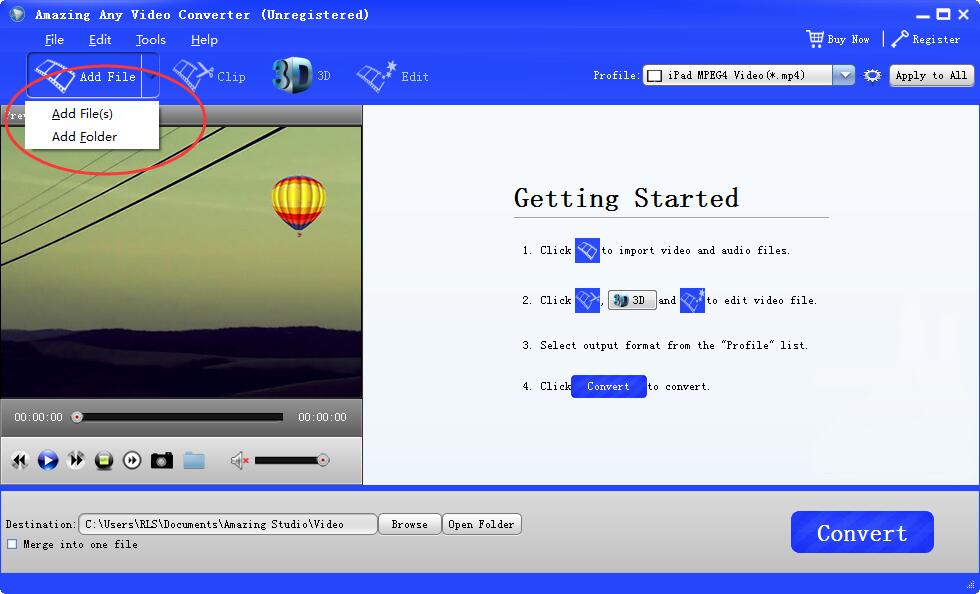
Clean, approachable UI: The layout is straightforward — add files, choose output profile, optional editing, then convert. New users won't need a steep learning curve.
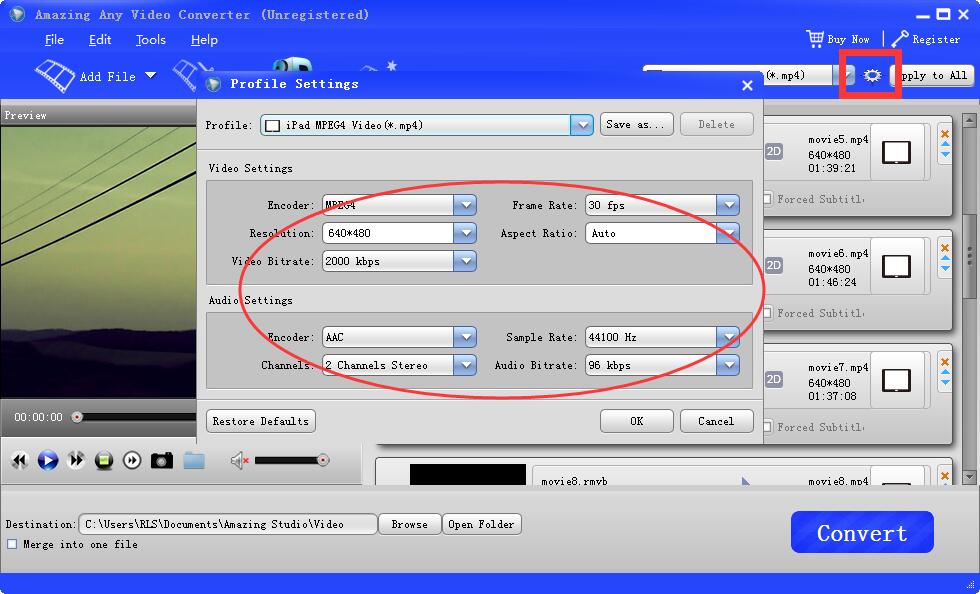
Settings depth: There is a balance between simple presets and advanced options (codec, bitrate, resolution, FPS). Power users can fine‑tune, while most users stick to presets.
Help & documentation: Built‑in help and online resources are adequate for standard tasks, though advanced codec guidance is limited compared to professional tools.
Casual creators who need an easy tool to convert desktop/video files for mobile devices, make quick trims and export playable files.
Content enthusiasts who want an all‑in‑one tool to download (where legal), convert and prepare clips for presentations or offline viewing.
Small businesses that need occasional DVD creation, subtitle embedding or batch conversion without investing in complex editing suites.
Amazing Any Video Converter offers a competent, approachable solution for consumer and small‑business users who want a consolidated workflow for downloading (where permitted), converting and preparing video/audio files. It balances usability and enough advanced settings to satisfy power users for routine tasks. If your work demands professional post‑production quality or broadcast‑grade encoding, pair it with specialized mastering tools.
| System Requirements | Windows 11/10/8.1/8/7/Vista/XP |
| Language Supported | English, French, German, Japanese |
User reviews
Reviewed on -1-1 11:08:26

Dempsey - It works great :).Solves a ton of my problems. Will definitely invest in the full thing!
Reviewed on -1-2 12:37:42

Gladys - It is an All-in-One 3D Converter and video converter which helps you convert 3D videos and convert between various video formats.
You may also like

Convert video files to HTML5, support all major browsers.

Burn Any Video/Audio Files to DVD/CD, Rip/Convert DVD to Video.
Copyright © Amazing-Share. ALL RIGHTS RESERVED.
About Amazing-Share | Terms & Conditions | Privacy Policy | License Agreement | User Guide | Refund Policy | Contact Us | Freeware Download Trial Center | Resources | YouTube | PAD Submission